


In instances where the file or information requested is larger than 10 MB and is therefore too large to be sent as an email attachment, we use ShareFile as a secure way of sending and receiving files.
1. To request a file from you, a member of the Support Team will send you a ShareFile link in an email to request the The link will look something like this:

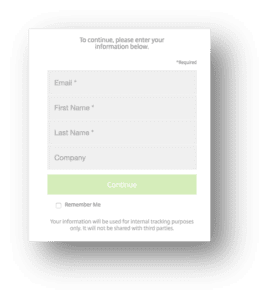
2. So that we can keep track of who has sent us information, fill out the information as prompted, and click Continue when completed: 3. Drag the compressed file or folder you have created into the ShareFile window:
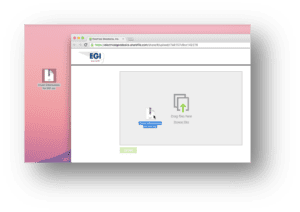
4. Click Upload to place the compressed folder on EGI’s section of the ShareFile site:
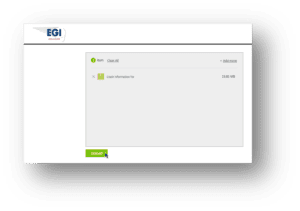
5. Once successfully uploaded, you will see a confirmation message and we will receive an email telling us the file or folder from you is available for download:
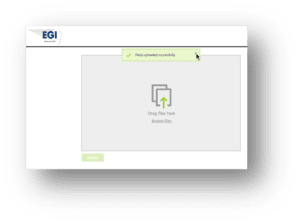
6. Finally, if you have not already done so, the last step is to send a follow up email to the Support Team advising us you have uploaded the requested information to ShareFile, along with the following information:
a. Your name and Institution.
b. The version number of the software module you were using.
c. The type of HASP you are using.
d. A description of what issue the information you’ve just sent is related to.