


As a means to diagnose a problem, EGI may ask you to send us a Net Station file or folder.
To avoid corruption in transit, it is necessary to compress, “zip”, the file or folder first.
To compress a file or a folder on a Mac:
1. Navigate to the file you wish to compress.
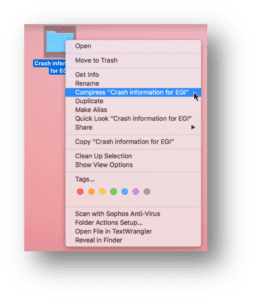
2. Right click on the file and select Compress “<folder filename>” from the menu that appears:
3. A progress bar will appear indicating the file is in the process of being compressed. You will also immediately see a new file with a “.zip” extension appear in the same location as the original file.
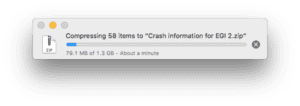
4. Wait until the progress bar goes away. This indicates the compression is finished.
5. Send the compressed information to EGI.
Net Station Review and Net Station Tools:
-Filters 1.0Hz and below are IIR
-Filters greater than 1.0Hz and above are FIR